Procedure
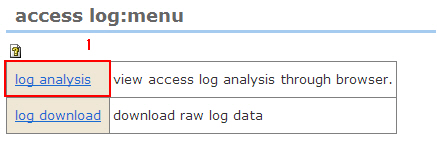
1. Click the [Log analysis] link. The "Access log: Log analysis" screen is displayed.
2. Switching log analysis
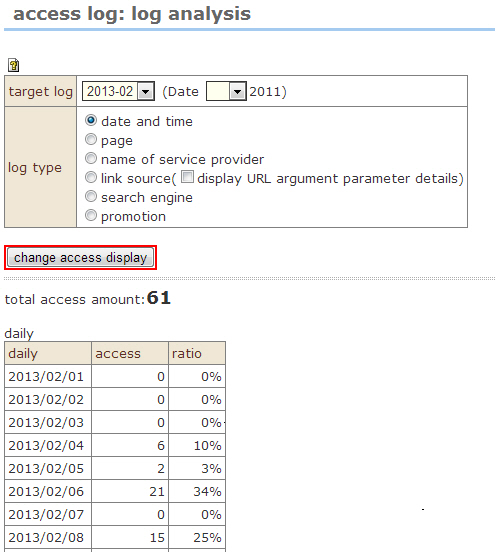
As the default screen, the "Date and time zone" analysis results for the current month are displayed.
To change the target log, change the target log, and click the [Switch log analysis display] button.(Specific days also can be specified.))
In addition to "Date and time zone", log display types include "Page", "Connected host name", "Link source", "Search engine", and "Promotion".Select the desired display type, and click the [Switch log analysis display button.