Procedure
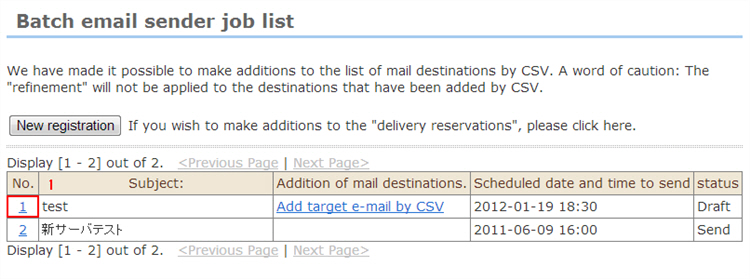
1. Click the mail [No.] whose status is temporarily saved.
2. If necessary, correct and enter e-mail information such as send date/time.
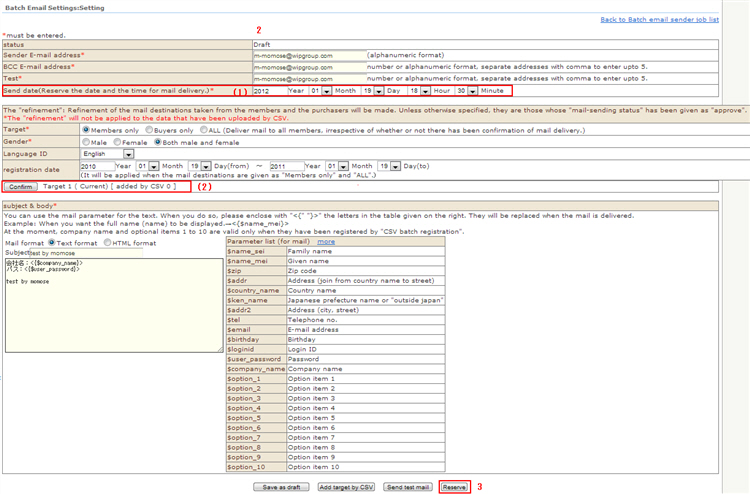
(1) Confirm the send date/time.
(2) Update the number of sent e-mails.
*Since the number of sent e-mails is the number of e-mail addresses when the batch e-mail is temporarily saved, click the [Confirm number of sent e-mails] button again even under the same send conditions to update to the current number.
3. Click the [Reserve send at these settings] button.
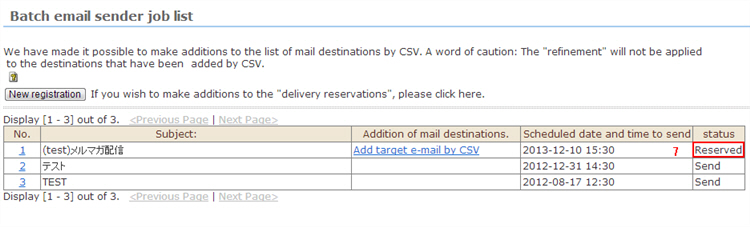
4. A sub-window will open and the "Save. Are you sure?" confirmation screen will be displayed. Click the [OK] button.
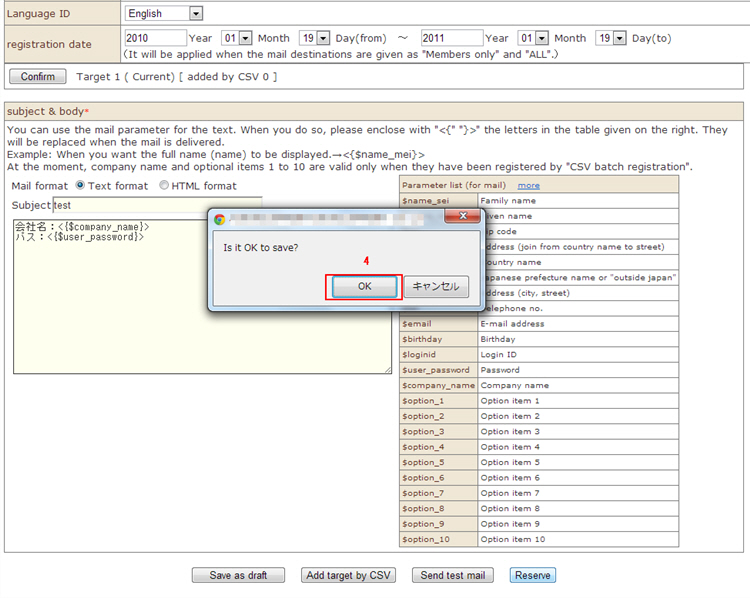
5. Confirm the send details "Sender e-mail address", "BCC e-mail address", "Send conditions", "Subject", and "Content".
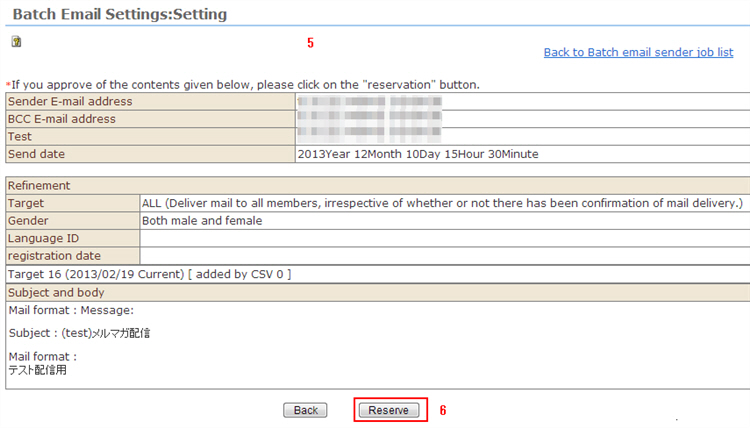
6. Click the [Reserve] button.
7. Sending of batch e-mail is reserved.