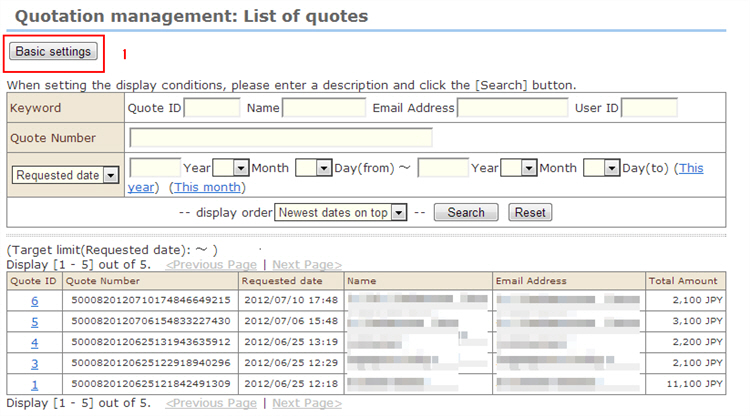
1. Click [Settings].
2. Make the basic settings for estimate management.
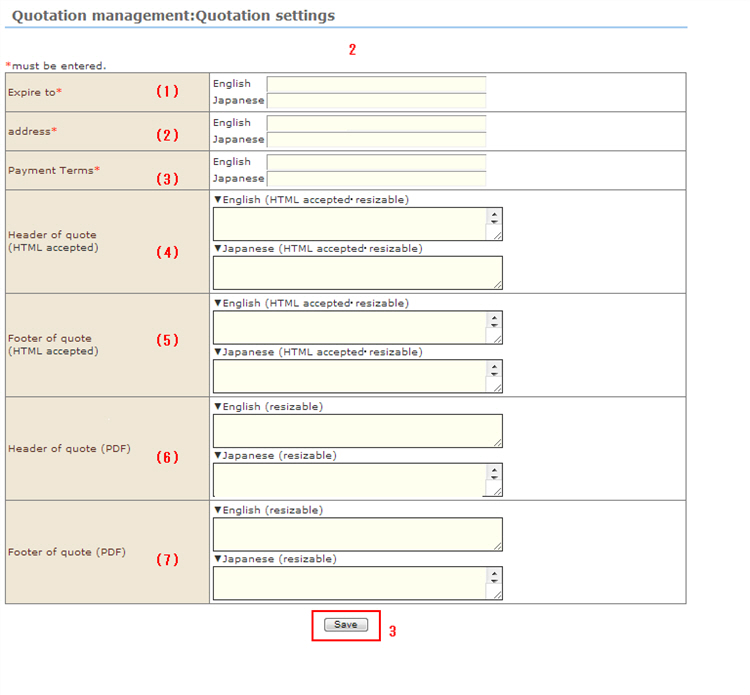
(1) Enter the expiration date of the estimate.
(2) Specify the delivery destination to list in the estimate.
(3) Specify the payment method to list in the estimate.
(4) Enter the header of the estimate screen.
(5) Enter the footer of the estimate screen.
(6) Enter the header of the estimate PDF.
(7) Enter the footer of the estimate PDF.
3. Save the settings.