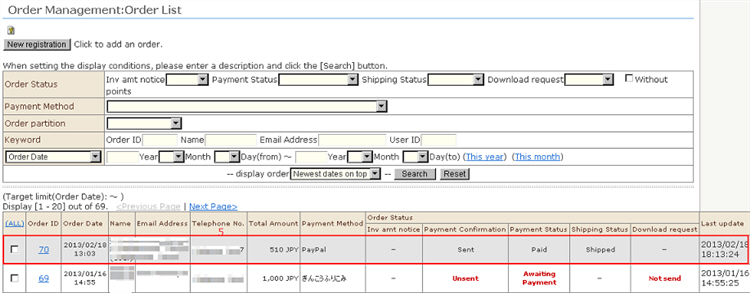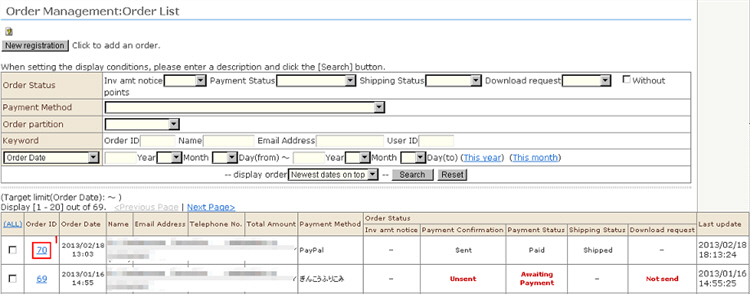
Received orders themselves can be canceled.
1. Click the [Order Management] screen and then click the received order ID in question.
2. Click the [Cancel the order] button at the bottom of the "Order Management: Verify order details" screen.
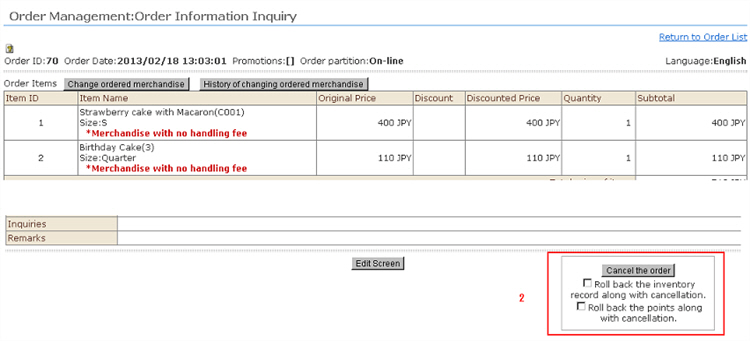
※ When the cancellation is linked to restore stock as well, the product (SKU) stock information will be restored after being decreased by cancellation of this received order.
※ When the cancellation is linked to restore acquired points as well, the member points that increased as a result of this received order will decrease.
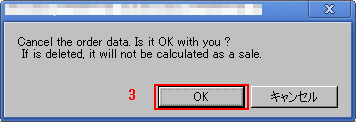
3. A separate window will be displayed. Click [OK].
When a received order is canceled, it will not be accounted for as sales.
4. Cancellations are grayed out on screen.
Once a received order has been canceled, it cannot be restored.