
1. Click the [Setting] button at "Shipment (Shipping) Status" on the "Order Management: Verify order details" screen.
2. The "Order Management: Register Shipment (Shipping)" screen will be displayed.
3. To add the "Shipment (Shipping)" field, click the "Add Shipment (Shipping) Field" buttonOne more line of the shipment table will be added to the screen.
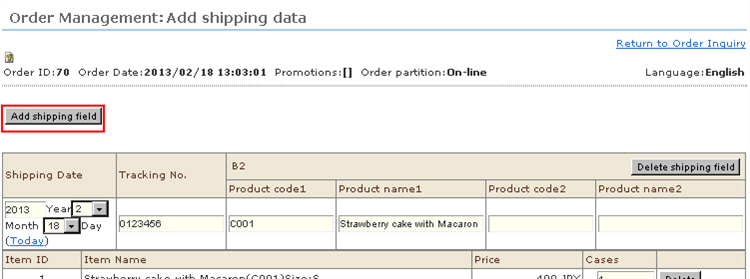
4. Click the [Add Breakdown] button on the shipment table. The "Order Management: Register Shipment (Shipping), Select Received Order Breakdown" screen will be displayed.
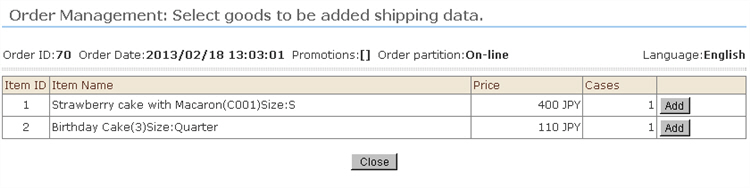
5. Click the [Add Breakdown button for the product in question on the shipment table, and add a product.After addition is completed, click the [Close] button to close the sub-window.
6. Assign packages to shipments taking care to prevent discrepancies between the details of the received order and the shipment details.
7. Click the [Edit] button. The shipment information is saved.