When there is one package for a received order, register the shipment invoice number and enter the shipment date for the entire received order.
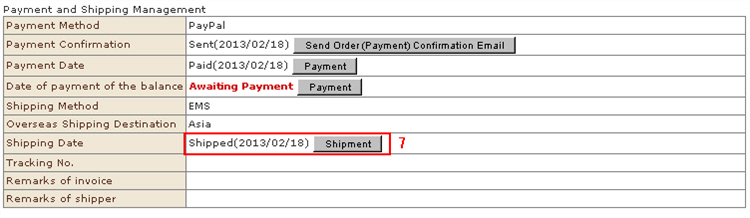
1. On the "Verify order details" screen, click the [Shipment] button at the "Shipment Date" item.
2. Enter the package tracking number and shipment date.
* If the "Set destinations" checkbox is selected, this shipment date and package tracking number will be batch entered for all small lots even in the case of received orders divided into two or more lots.
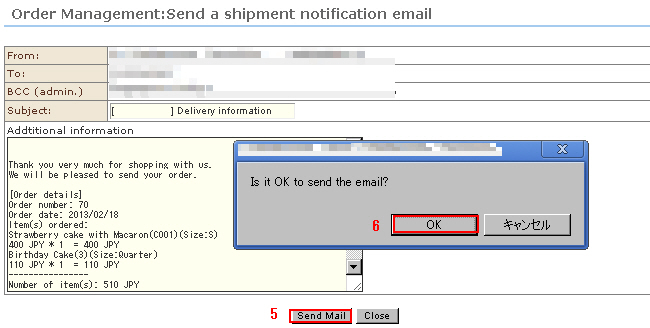
3. Click the [Shipment] button. The "Order Management: Send a shipment notification email" screen will be displayed in a separate window.
4. The shipment date and package tracking number that you entered earlier will be automatically entered at "Shipment notification email".Add a supplementary explanation, if any.
※ Standard sentences for shipment notice e-mails can be set at "Email Settings".
5. Click the [Send Mail] button.
6. The confirmation message is displayed. Click [OK].
7. After the shipment information is entered, the shipment day status at "Order Management: Verify order details" and the received order list will be updated.