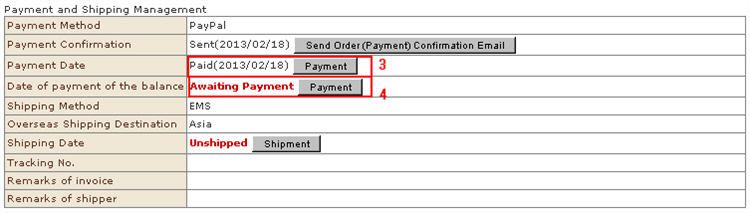
When a payment has been made by a payment method to which settlement information (e.g. bank remittance) cannot be linked, register the payment information manually.
* With payments such as credit card, PayPal and Alipay whose settlement information can be linked, the payment status will automatically be updated when settlement is completed successfully. Do not manually edit the status except in special cases such as errors. Confirm in the payment method setting screen whether or not the settlement method you are using can be automatically linked.
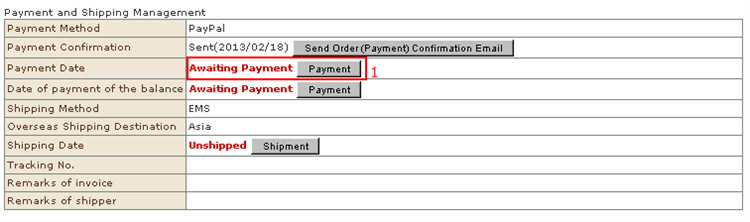
1. From the received order details screen, click the [Payment Date] button from the "Payment" item.
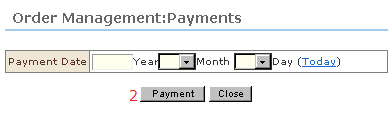
2. The "Order Management: Payment" sub-window opens.Enter the payment date, and click the [Payment] button
※ To delete a payment date, leave the date blank, and click the [Payment] button.
3. The payment date is registered.The status of "Payment Date" in the "Verify order details" screen is updated.
4. Enter the payment date when payment of balance has been confirmed in the same way.Click the [Payment] button at "Date of payment of the balance" to register the payment.