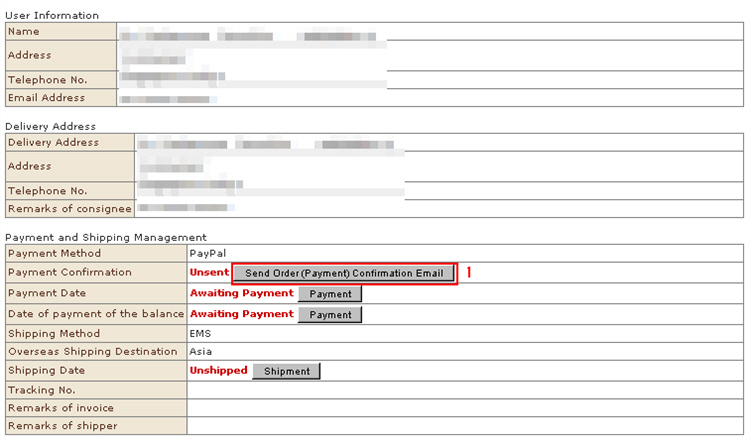
Contact customers from whom payment has not been confirmed after an order by e-mail to notify them that payment has not been settled yet and send them a settlement screen so that they can perform payment procedures again.
1. Click the [Send Order (Payment) Confirmation Email] button to the orderer in question.
2. The "Send Order (Payment) Confirmation Email" screen opens.Confirm the details of the e-mail, and then add a supplementary explanation, if any.
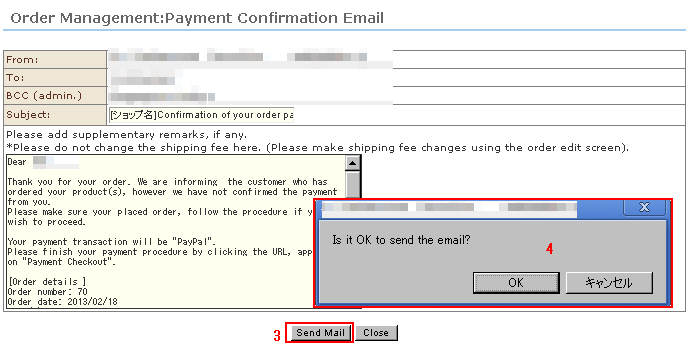
3. Click the [Send Mail] button.
4. The confirmation message is displayed. Click [OK].
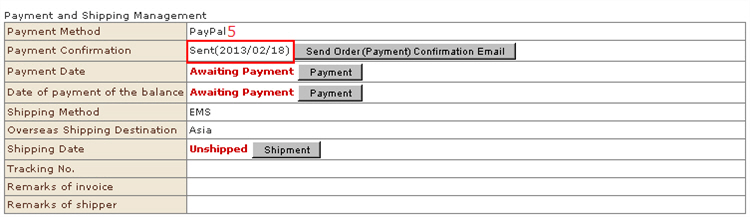
5. After the e-mail is sent, the status is changed.