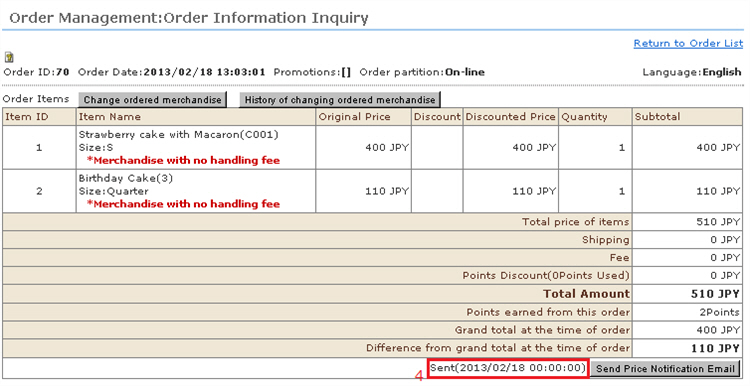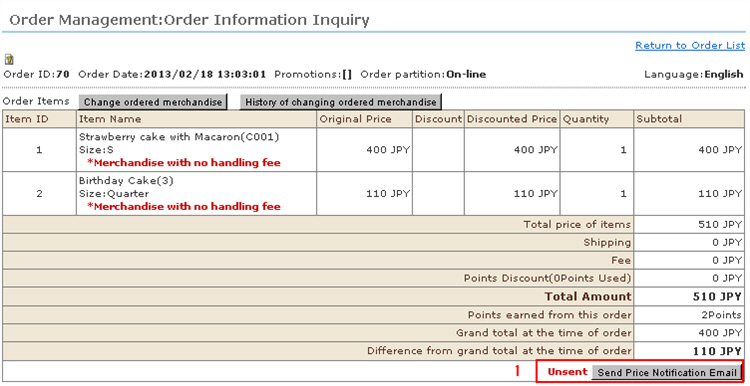
This function sends an e-mail for notifying the total payment amount and payment format after re-calculation of shipping fee and for requesting settlement of payment including the shipping fee to customers who have purchased products whose shipping fee is not fixed or products having a shipping fee unfixed status in the store's settings.
※ "Notification not required" is displayed for orders whose shipping fee is automatically calculated since this e-mail notification need not be sent.
1. Click the [Send Price Notification Email] button.
2. Since the send screen opens for the total payment notice e-mail, confirm that details such as shipping fee that were edited earlier have been reflected, and then add a supplementary explanation, if any.
Add a supplementary explanation, if any.
* Do not edit the shipping fee here.(To edit the shipping fee, be sure to do so in the "Edit Order Details" screen.)
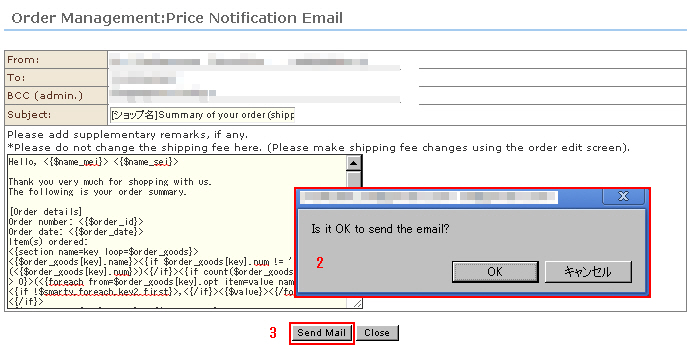
3. Click the [Send Mail] button.
The confirmation message is displayed. Click [OK].
4. Satus of the [Send Price Notification Email] button changes from "Unsent" to "Sent".