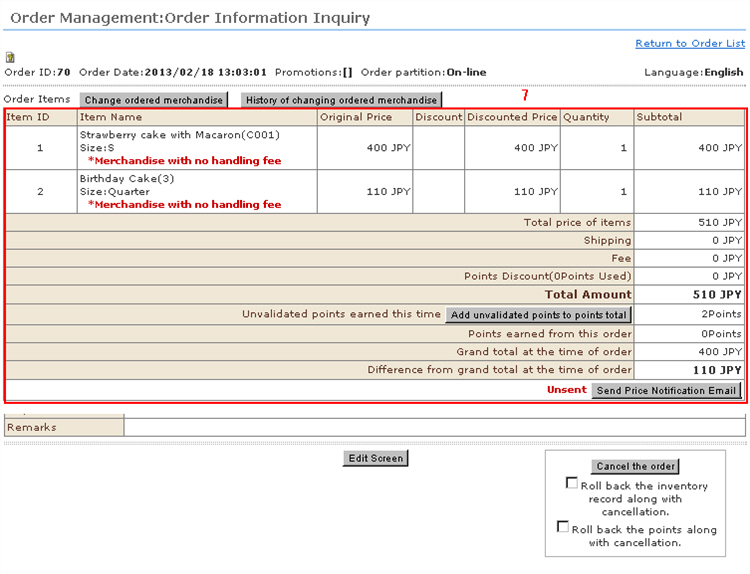
You can exchange ordered products and edit returns.
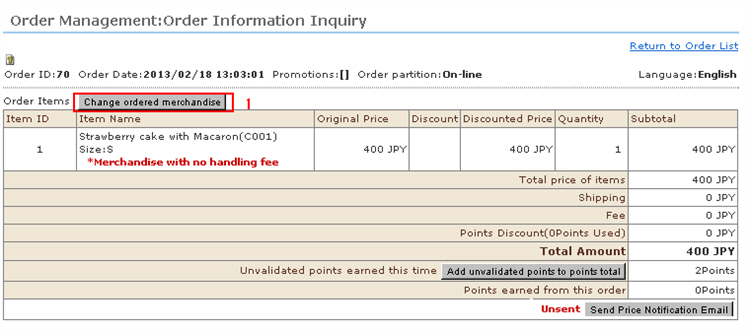
1. Click [Change ordered merchandise] at "Order Management: Verify order details".
2. To delete merchandise, click [Erase].
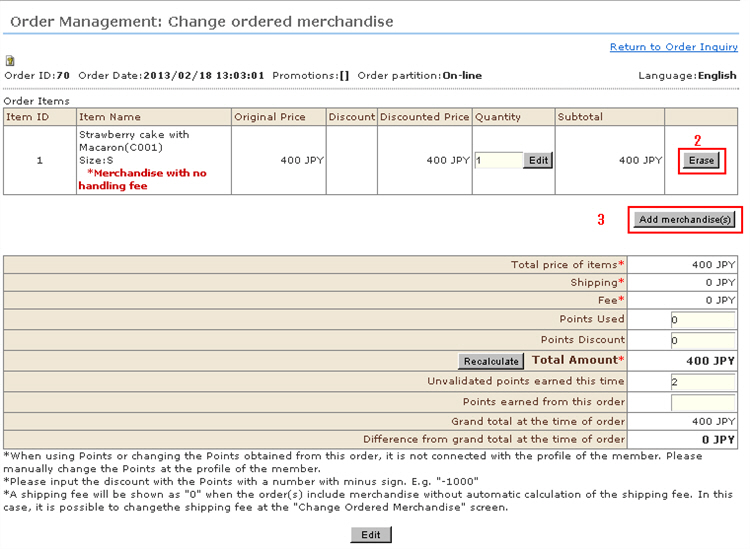
3. To add new merchandise, click [Add merchandise(s)].
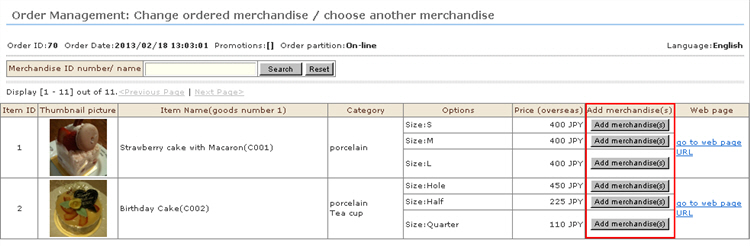
A different window appears, and a list of registered products is displayed.
Click the [Add merchandise(s)] button for the desired merchandise you want to add to the received order.
4. The merchandise is added.
* The amount of the received order is updated.
* When the order includes merchandise whose shipping fee is not automatically calculated, "0" is displayed as the shipping free.The shipping fee can be edited in the "Edit Order Details" screen.
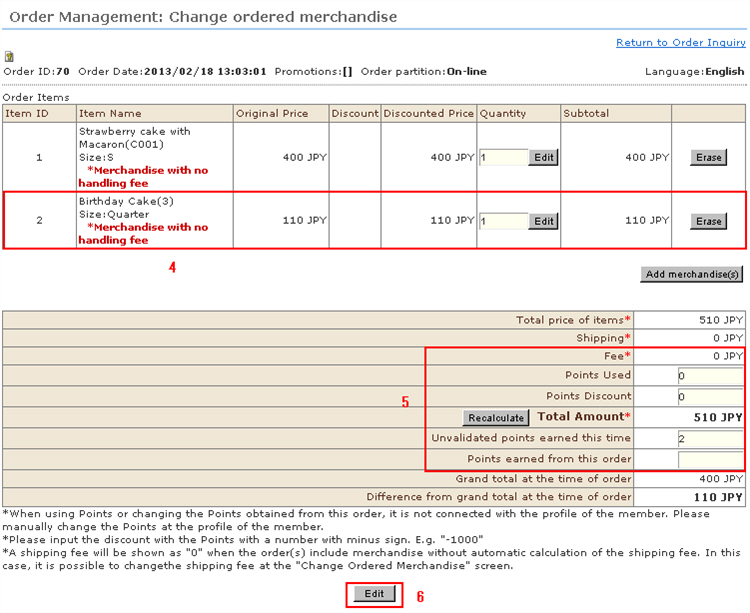
5. If the point usage status changes, enter the points.To use additional points, enter the number of points to use and click the [Recalculate] button.
* When using points or editing newly acquired points, the point information is not linked to member information.Edit retained points separately in the member information.
* Enter point discount amounts by a negative value. Example) -1000
6. If the edits you have made are correct, click the [Edit] button.
7. The edits are reflected in the ordered merchandise.