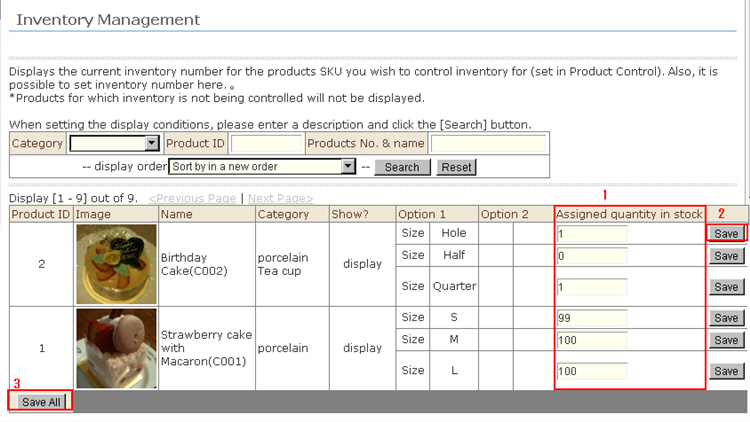
1. Click "Inventory (SKU) Management" from the menu. The "Inventory (SKU) Management" screen is displayed.The information that is displayed in this screen is the SKU inventory.To edit the assigned quantity in stock, enter the assigned quantity in stock in the "Assigned quantity in stock" for the respective products.
2. To update stock by SKU unit, click the [Save] button in the field to the right of the product.
3. To batch update stock in the screen, click the [Save All] button.
4. The new stock information is saved.