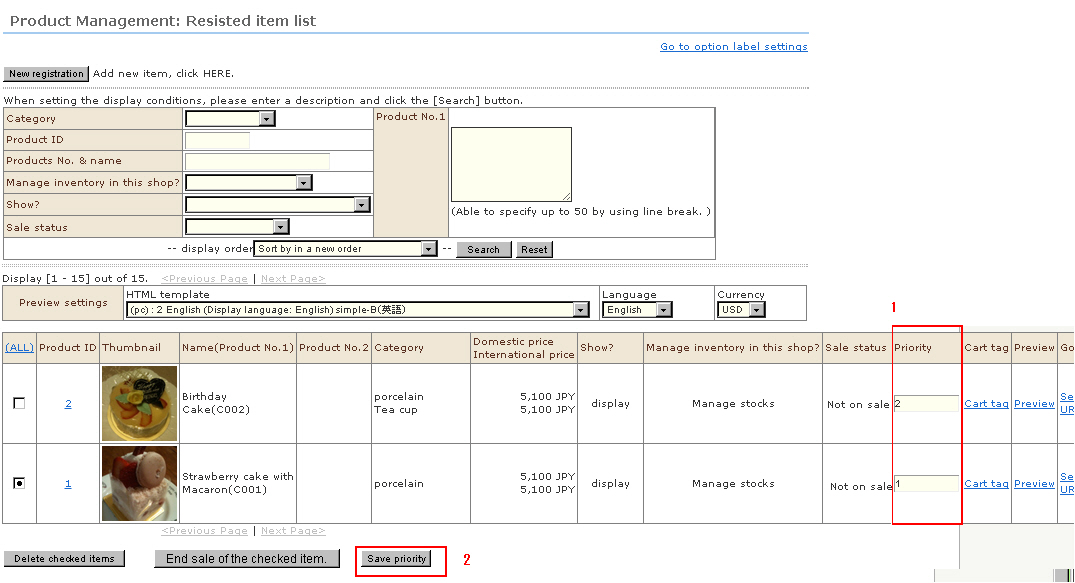
On this system, the default sort order of the product list display in the shop screen is the product time stamp (newest first). If you want to display specific products higher up in the order in this product list display, you can use the priority feature to alter the sort order.
※ Precautions
・ This feature controls the sort order by giving priority over the time stamp.
・Small priority numbers are sorted higher up.
・ In the case of products having the same priority, products with a newer time stamp are sorted higher up.
Procedure
1. In the "Product Management: Registered item list" screen, enter or edit the priority.
2. Click the [Save priority] button.