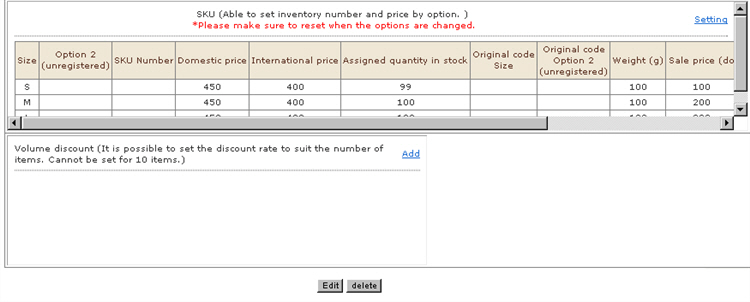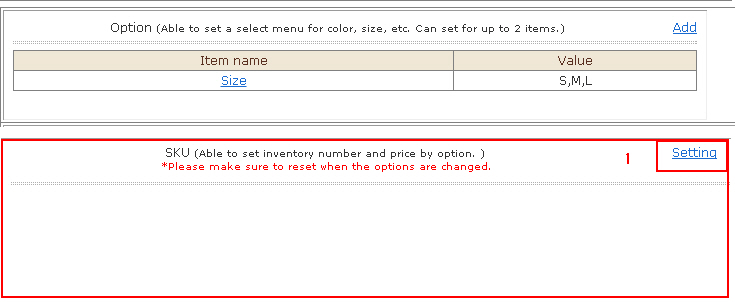
Register SKU (Stock Keeping Unit) information.
* Be sure to reset options when they have been edited.
1. Click [Setting].
2. The "Product SKU New registration " window is displayed.

(1) Option item 1 created at "Option Setting" is entered.
(2) Option item 2 created at "Option Setting" is entered.
※ To edit (1) and (2), set again from the "Option" item.
(3) Products No. & name in individual SKU units can be set. At receipt of order, Products No.1 & name is overwritten and output.
(4) Price inside your country of SKU unit
(5) Price outside your country of SKU unit
※ When SKU has been set, the item price is ignored and the SKU price is used.
(6) Assigned quantity in stock of SKU unitWhen SKU has been set, the assigned quantity of items in stock is ignored and items are managed by SKU stock.
(7) An exclusive code for option item 1 created at "Option Setting" is entered.
(8) An exclusive code for option item 2 created at "Option Setting" is entered.
(9) Weight of SKU unitWhen SKU has been set, the item weight is ignored and the shipping fee is calculated by SKU weight.
3. Click the [New Registration] button.The SKU management information is added.