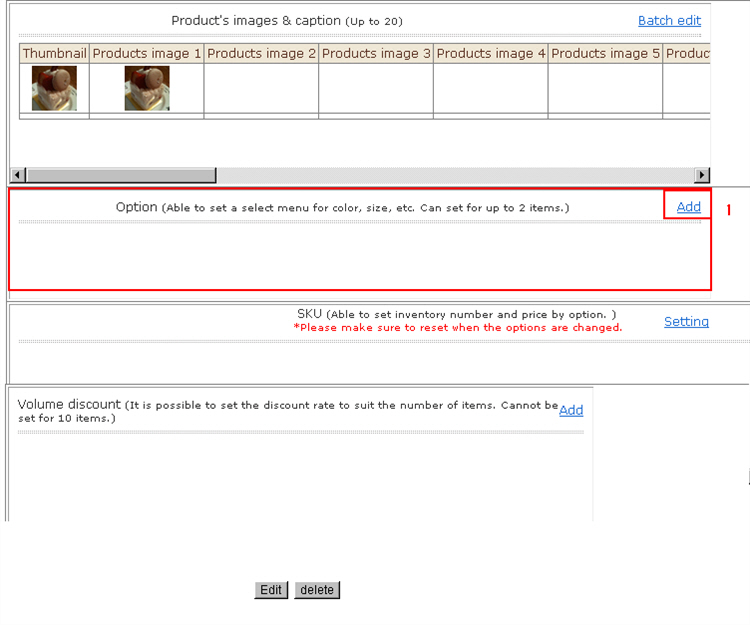
You can select menus for color, size, etc. Up to two menus can be set.
The option items added here become SKU selection options.
1. Click the option [Add].
2. Register the product options.
For stores that require entry of a store exclusive code, enter the code,
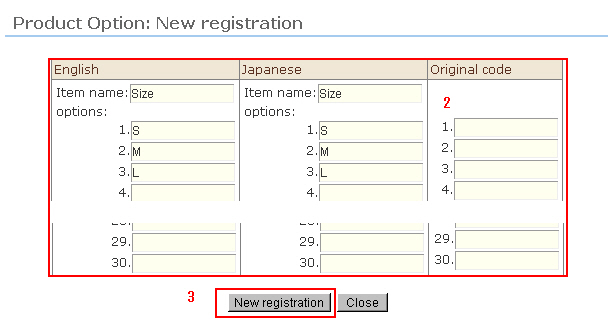
3. After registration, click [New Registration].
4. The product option is added.
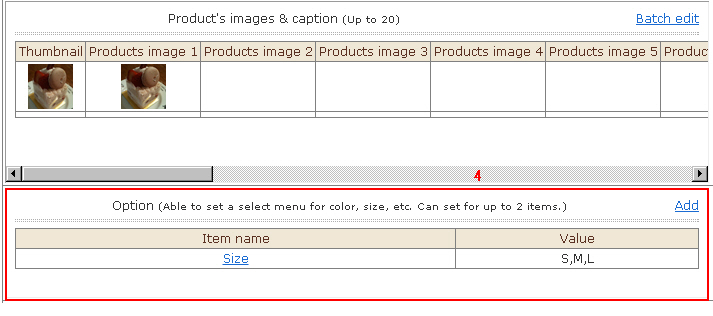
To add more options, repeats steps 1 to 3.
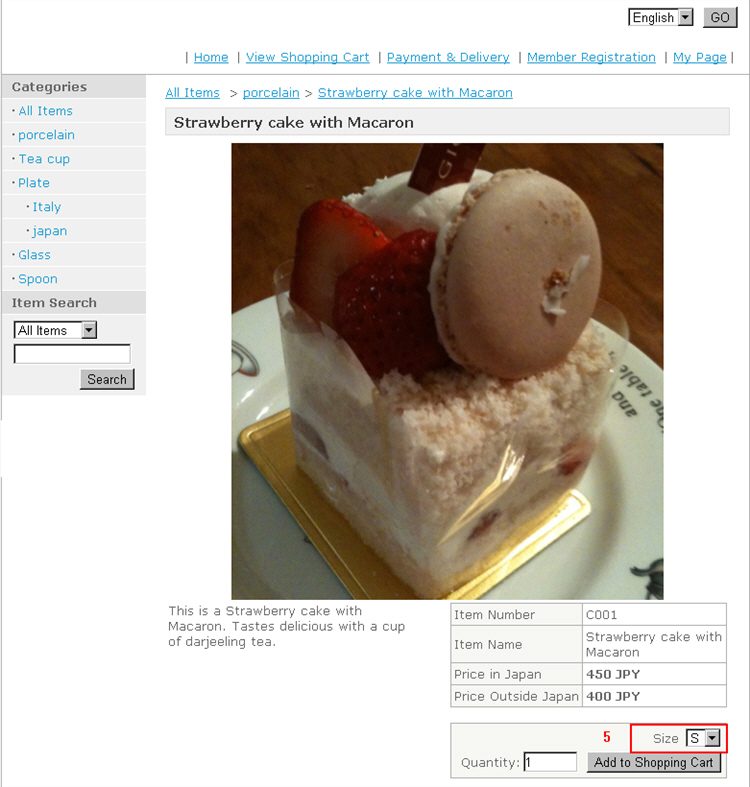
5. Example of screen display