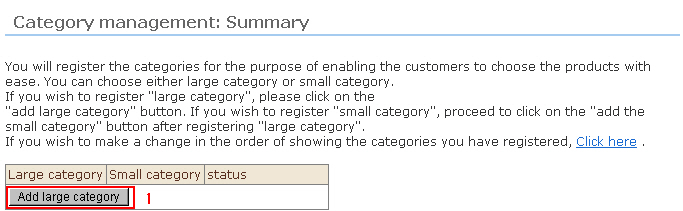
To register a large category, click the [Add large category] button, and to register a small category, click the [Add small category] button.
* The following example shows the procedure for registering a large category.
Procedure
1. Click the [Add large category] button. The "New Registration" screen will be displayed.
2. Enter the category information.
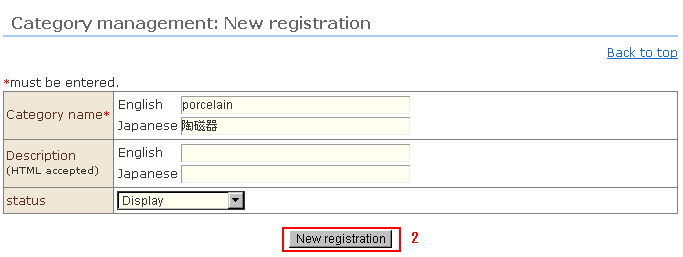
a. Enter the category name in the respective language.
* The category name is a required item.
b. Enter a simple explanation (HTML supported).
* Also, simple descriptions can be displayed in the list of products in mail order sites.
3. Click the [New rRgistration] button to complete registration.