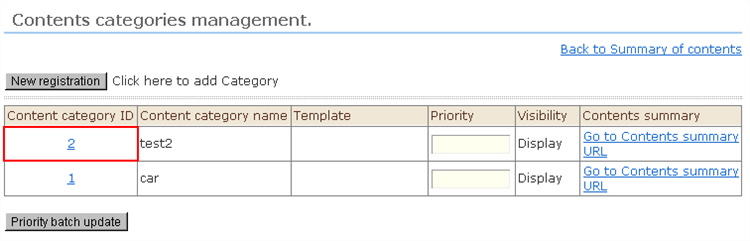
1. Click "Content Categories Management" from the menu. The "Contents Categories Management" screen opens.
2. Click the category ID whose content category you want to delete.
3. The "Contents Templates Management: Change registration" screen will be displayed. Click the [Delete] button on the screen.
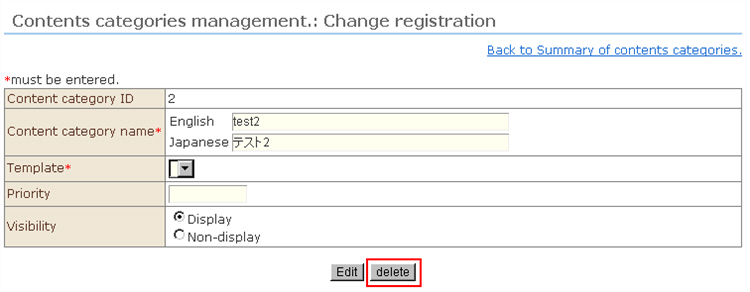
4. After the confirmation message, the content category will be deleted.