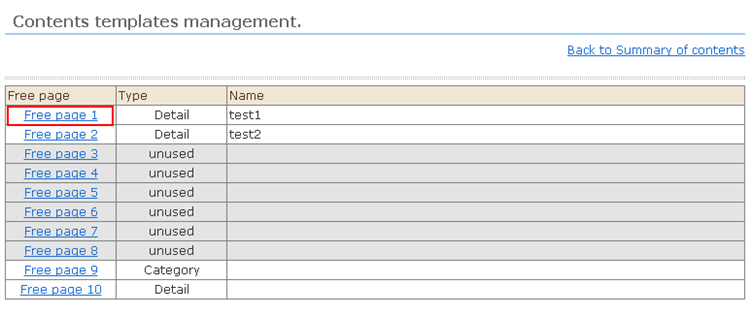
With the content management function, "free page" templates are shared. From a free page template,
select the template to be used for "content category" and "content details".
Procedure
1. Open "Contents Templates Management", and select the name of the free page template you want to use with the content management function.
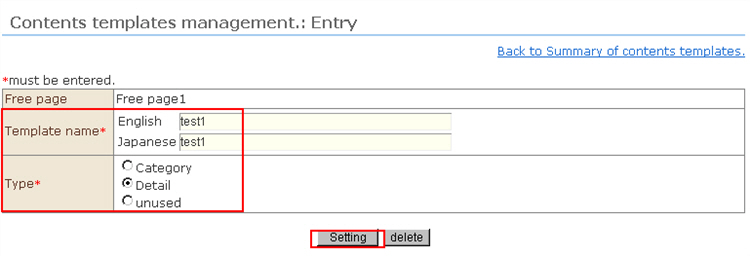
2. The "Contents Templates Management: Registration" management screen opens. Enter the template information, and click the [Setting] button.
To use the content function, at least one each of "content category" and "content details" templates are required.
※ To edit a free page template that was originally set for free pages to use for content management use, the template content in "Design Settings" also must be edited for content management use.