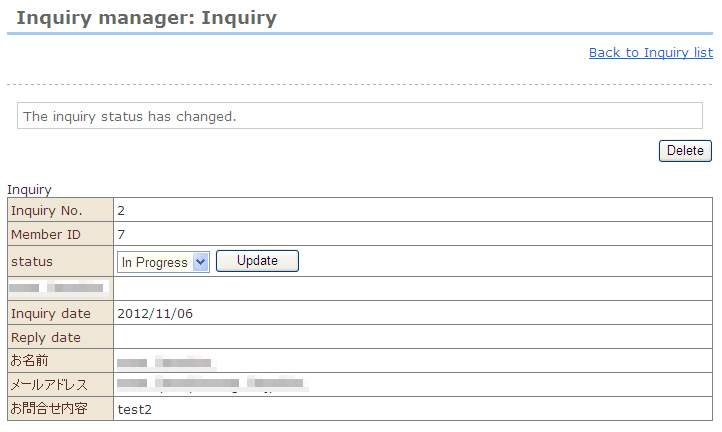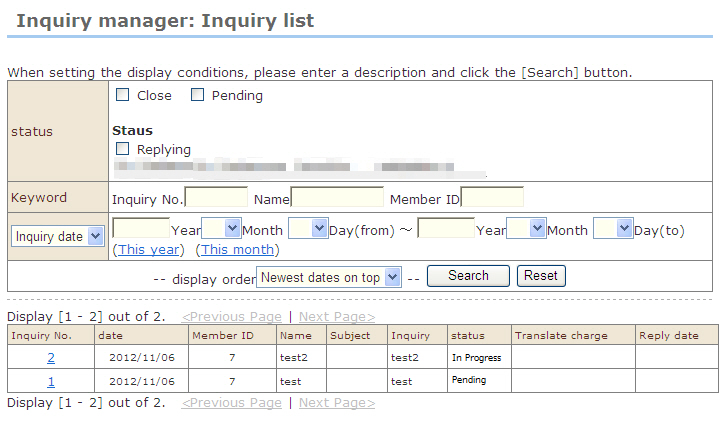
Though the inquiry status automatically changes by opening an inquiry or returning an e-mail, the following describes operation methods for forcibly editing status manually.
1. At "Inquiry manager: Inquiry list", select the inquiry whose status you want to edit.
2. The "Inquiry manager: Inquiry details" screen opens.
3. Select the status at the "Status" dropdown list in the screen, and click the [Update] button.
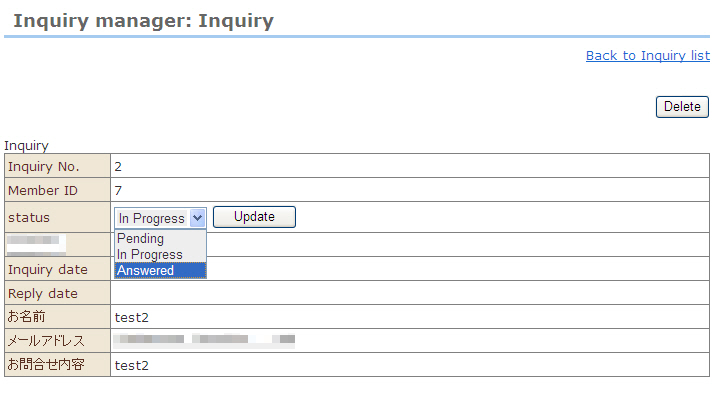
4. The inquiry status is changed.