Though sub-users cannot be deleted, main users can change the status of sub-user accounts to enabled and disabled. Once a sub-user account is invalidated, sub-users can no longer log into the management screen.
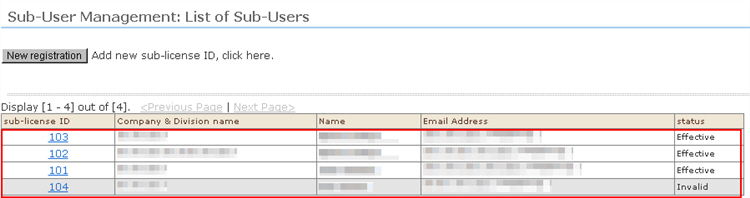
1. Open "Sub-User Management: List of Sub-Users".
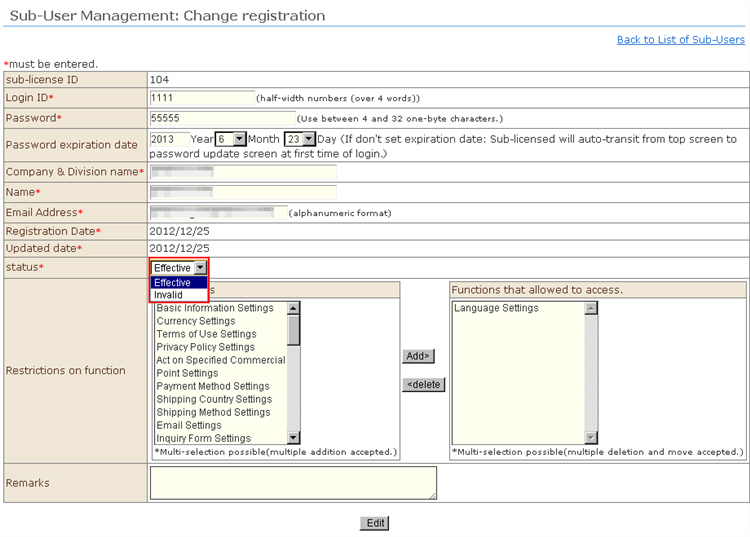
2. If you click a sub-user ID, "Sub-User Management: Change registration" will be displayed.
3. Change the "Status" dropdown list setting to "Disabled", and click the [Edit] button.
(Hint: To validate a sub-user account again, change the "Status" dropdown list setting to "Enabled".) )
4. The screen will return to the list screen. Enabled sub-users will be displayed on a white background, and disabled sub-users will be displayed on a gray background.