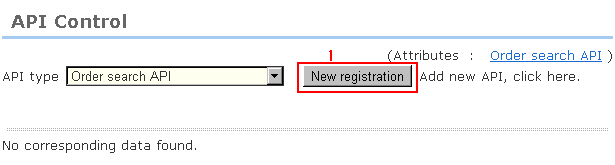
There are two APIs: (search received order information) and (update invoice No.).
The following example describes the procedure for the (search received order information) screen. Other operations are the same so refer to this procedure.
1. Register a new link API (search received order information).
2. Select the connection destination.
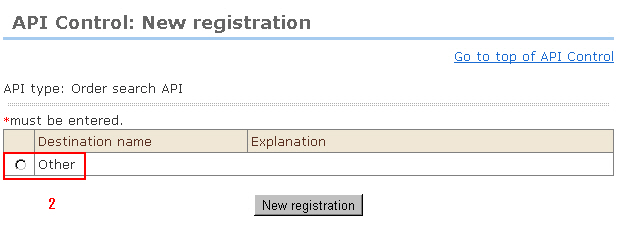
3. Enter the information of the connection destination that is allowed to search for received order information.
(1) Destination name (required)
(2) Explanation (optional)
1 and 2 are used for differentiating connection destinations within a store.
(3) Allowed IPs (required)
(4) Password (required)
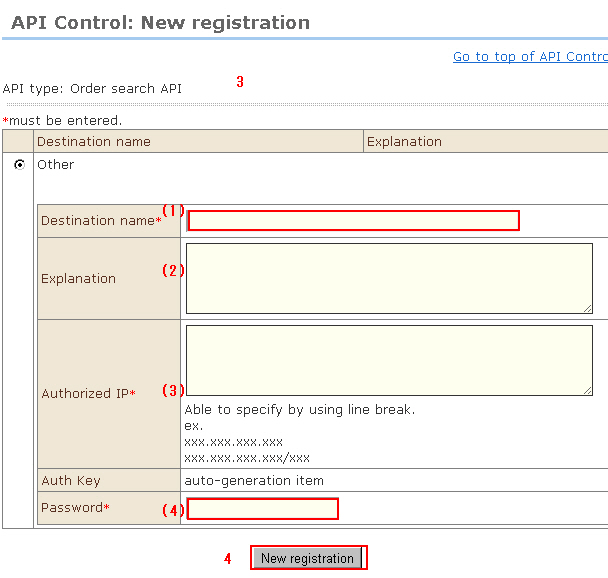
4. When input is finished, click the [New registration] button.
5. The connection destination is registered. Set the issued "Auth Key" and "Password" to api_auth_key and api_password of the connection destination system, and perform a connectivity test.