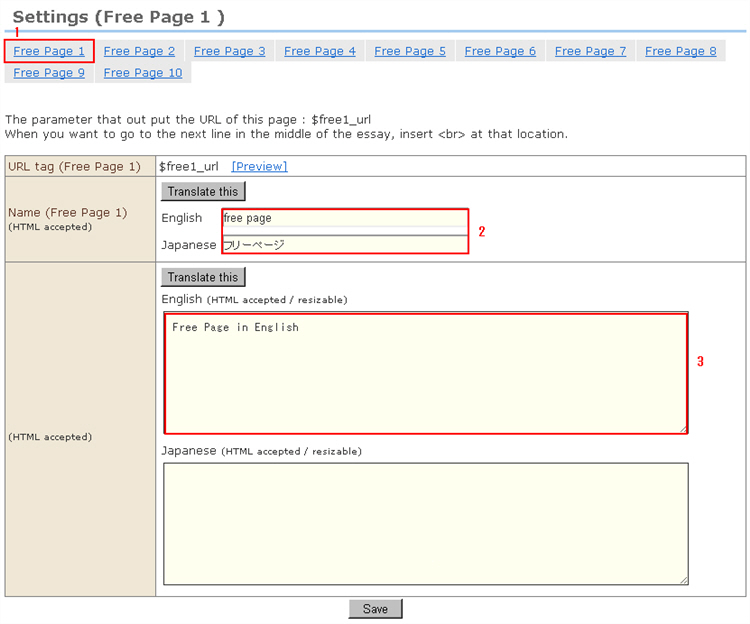
1. Open the "Settings (Free Page 1)" screen from the menu on the left.
Click [Free Page 1] to be edited. In this example, let's create a Company Profile page at free page 1.
2. Enter the title of the free page.
* Tags cannot be used in titles.
3. Enter the content.
* Input fields incorporate an automatic line feed function when inserting line feeds during text input. So, layouts containing table tags, for example, might get out of shape during HTML input. At this time, pad spaces between tags.
Example)
<table width="100%" border="1" cellspacing="0" cellpadding="0">
<tr>
<th scope="row"> </th>
<td> </td>
↓Pad spaces between tags as follows:
<table width="100%" border="1" cellspacing="0" cellpadding="0"><tr><th scope="row"> </th><td> </td>
4. Click the [Save] button.
5. Let's click [Preview] to check the free page for the shop.
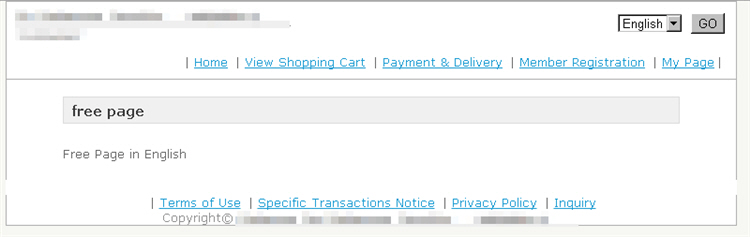
※. The template variable for the Free Page 1 URL is <{$free1_url}>.
Paste as follows to the template of the desired link destination page:
(Example)
<a href="<{$free1_url}>">Company Profile</a>
6. To edit other free pages, click the appropriate [Free Page○] and edit in the same way.