Procedure
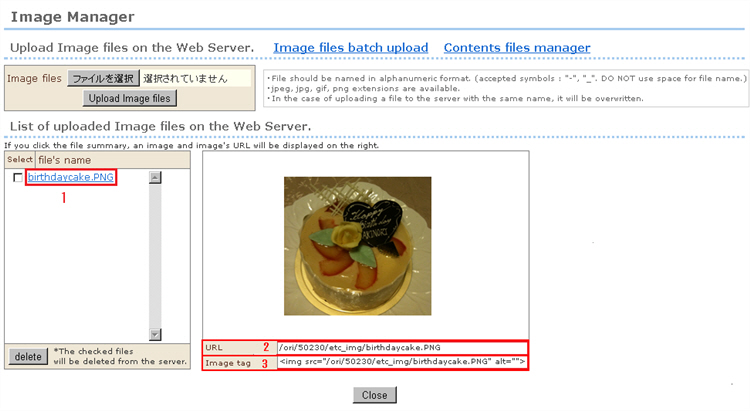
1. Click the name of the image file you want to confirm from the list of files at "list of image files uploaded to the server." The images will be displayed on the right side of the screen.
2. The image URL is displayed at [URL].
When setting the shop logo, this URL can be edited by copying & pasting.
>>Design Settings: Shop logo settings (See page 60.)
3. The image tag for displaying the image is displayed at [Image tag].
Images can be displayed at any desired position by copying & pasting the "image tag" of the image you want to use to the "HTML supported" entry field.