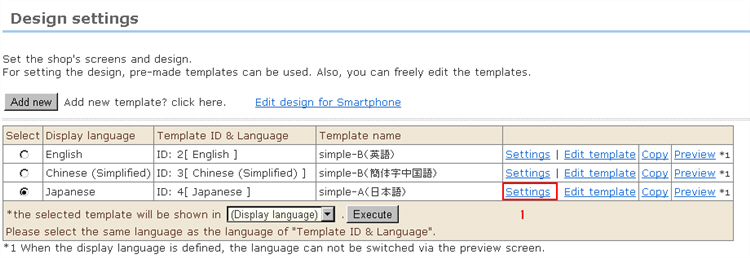
Enter the basic settings for each individual template.
1. Click [Settings] for the template you want to use.
* Note that the display language will not be displayed correctly if a display language page where display designations have been made differs from the display language provided for the template.
[*] indicates required items.
2. Template name*
Enter the template name.
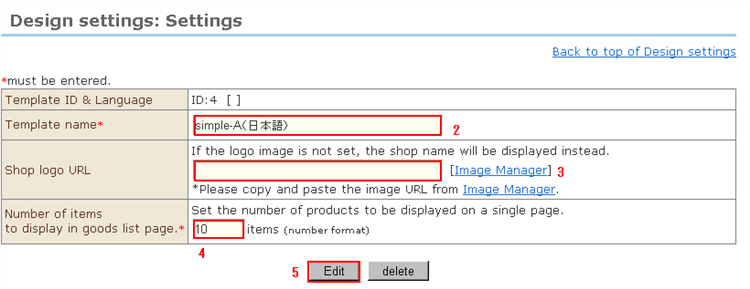
3. Registration of shop logo image
An image can be registered as the shop image by copying & pasting the URL of the image uploaded to the server. Call up the Image Manager window by clicking the [Image Manager] button on the right side.
*If an image is not registered, the shop name will be displayed.
4. Number of exhibited products in the product list*
Enter the number of display items per page when displayed as a list.
5. When input is finished, click the [Edit] button.
* Perform this step on all templates you are to use.
※ Customizing designs
When creating designs for each of the screens in this system, you can call up various data from the system by incorporating variables in the templates.