You can set shipping countries to be included in a range for the "Region name" set above.
To set "Shipping Country Settings", first finish setting the region name above.
Procedure
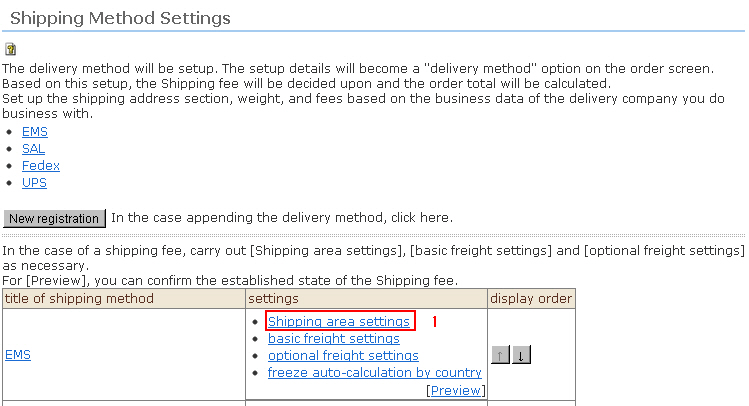
1. Click [Shipping area settings] from the Shipping Method Settings top screen.
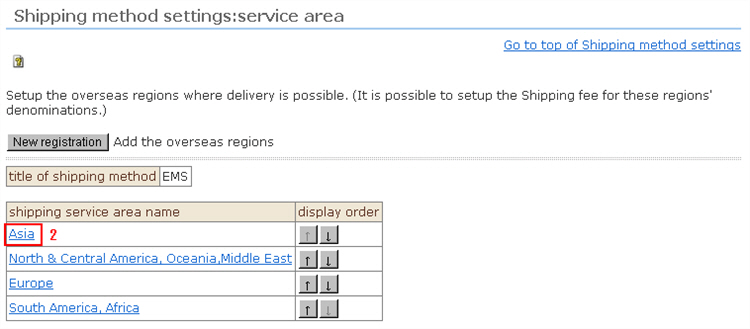
2. The shipping area list page is displayed. Click the link of the [Region name] to be set.
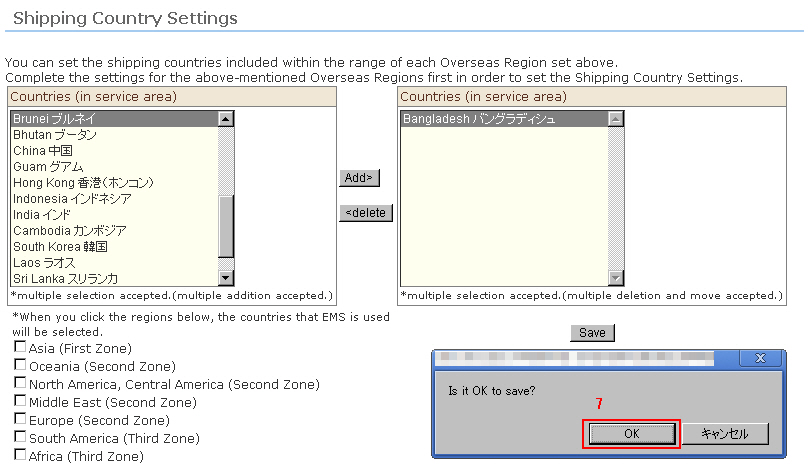
3. The page for editing the registered region name is displayed. Set the shipping country.
Select the shipping country in question. To select two or more countries, click while holding down the Ctrl button.
* With shipping by EMS, the target country is automatically selected by selecting the checkbox for the region in question. (two or more selections possible)
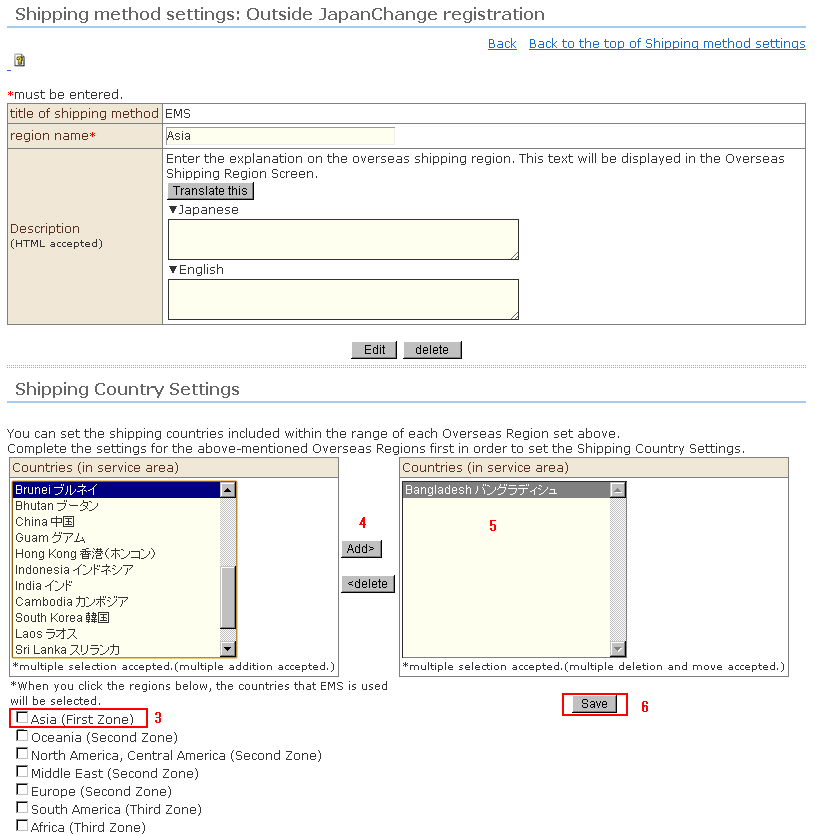
4. Click the [Add] button.
5. The selected country(ies) move to the shipping country you added.
6. Click the [Save] button.
7. The confirmation sub-window will open. Click the [OK] button.
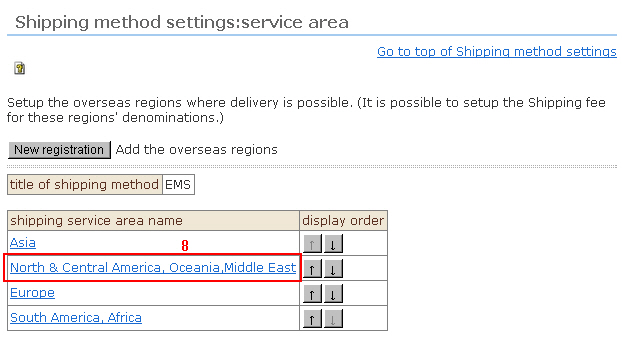
8. The display returns to the shipping area list page. Repeat the same procedure to set the shipping country.