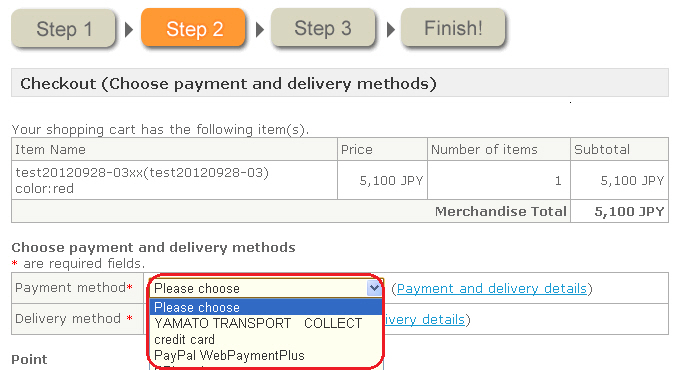
You can change the display order of selection options (dropdown list) for payment methods that are displayed on the shop screen.
Procedure
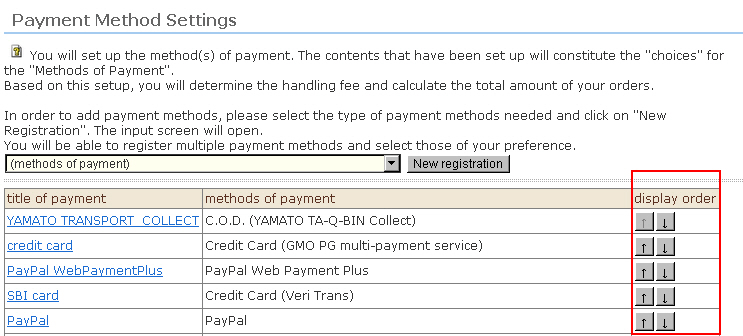
1. This is operated by accessing the "Display order" field in the payment method list on the "Payment Method Settings" screen.
Clicking the [↑] button moves the selection option up, and clicking the [↓] button moves the selection option down.
The sort order in this screen becomes the sort order of payment methods in the shop screen.