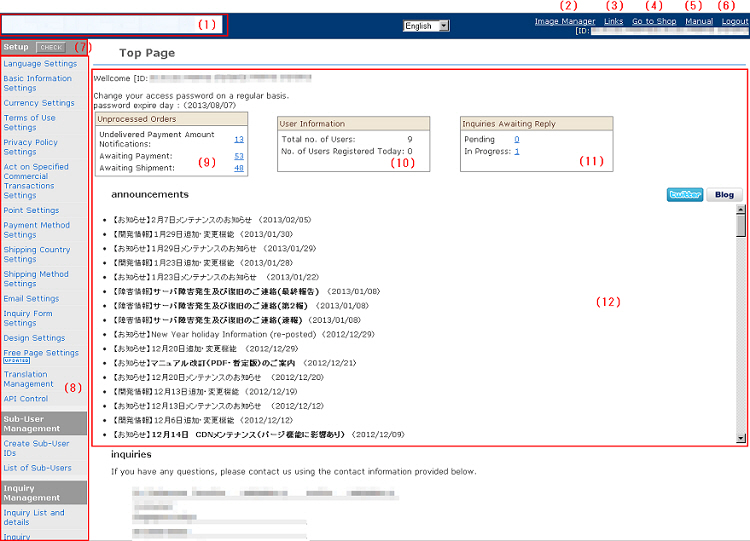
(1) Returns you to the store management screen top.
(2) Images or files in various formats can be uploaded. Two or more files can also be batch-uploaded.
(3) URL information for each page can be browsed.
(4) The shopping site for this store is displayed.
(5) The manual can be browsed.
(6) Logs you out of the management screen. (Log out after completing all tasks.)
(7) You can check whether or not setup is finished. The shop will not be displayed properly if there are any omissions in the items at "Setup" that required input. If there are any errors in the display, press the [CHECK] button to check the display.
(8) This is the main menu.
(9) The status of received order data is displayed.
(10) The status of member data is displayed.
(11) The status of inquiries is displayed.
(12) This notifies you of system maintenance information, etc. Please view this information when using this system.