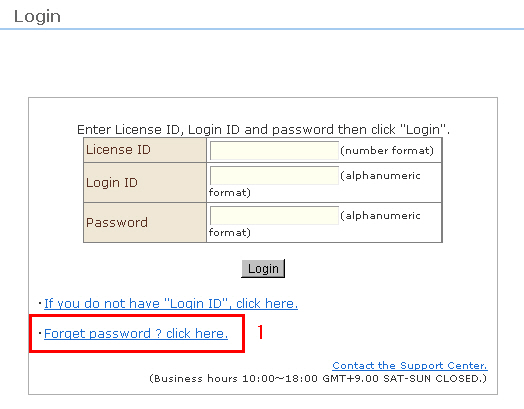
The password can be reissued if it has become null and void, or the sub-user has forgotten his/her password.
1. Click "Reissue password" on the management screen login page.
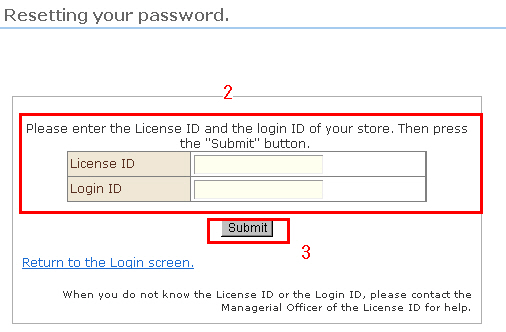
2. Enter the store ID and login ID.
3. Click [Submit].
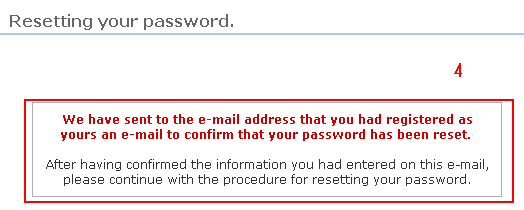
4. The password reissue completed e-mail will be sent to your registered e-mail address. This e-mail will contain a URL for carrying out the password reissue procedure.
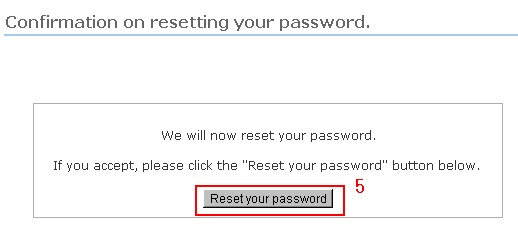
5. Clicking the URL in the e-mail will display the "Password reissue confirmation." Click the [Reissue] button on this screen. A new password will be sent to your registered e-mail address.
※ The URL is valid for 24 hours from application for reissue. After 24 hours, you must repeat the procedure starting from step 1.
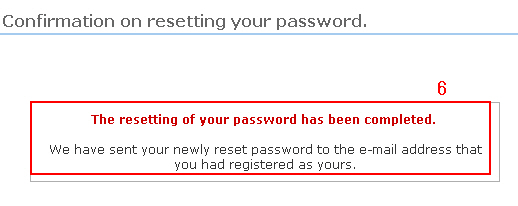
6. Reissue of the password is completed.
7. Use the new password that was mailed to you to log in from the regular login screen.