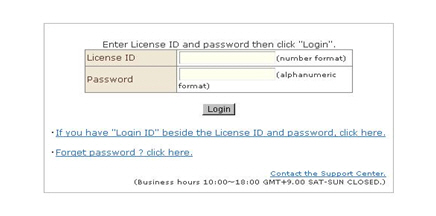
1. Enter the store ID and password that was sent to you, and click the [Login] button.
※ For stores using the system for the first time: Currently, passwords are automatically assigned by the system. After login, the Password Edit screen is displayed.Change the password to one that is easy-to-remember but difficult-to-steal using 4 to 32 1-byte alphanumeric characters.
●If login fails●
・ Caution when entering the store ID and password
Entry is code- (1- or 2-byte) and case-sensitive.
・ Cookies setting
Login management uses the "cookies" feature. If cookies are set to "disabled" in your browser, you cannot log in. So, cookies must be set to "enabled".